Our approach: This article is based on published product information and use-case analysis. We have not conducted hands-on testing for this article.
TechGearPilot may earn a commission from qualifying purchases made through links on the site, at no extra cost to you. How our links work.
The AX55 can suit an ordinary gigabit home network, but its exact hardware revision, current firmware, and support status must be checked before purchase.
The TP-Link Archer AX55 is easy to understand at the hardware level: a dual-band Wi-Fi 6 router with gigabit Ethernet connections for an ordinary home network. The harder question in 2026 is which AX55 a seller will actually ship. TP-Link has multiple hardware revisions, and the product name alone is not enough to establish software features or lifecycle status.
That distinction is the center of this review. The AX55 can be a sensible candidate when its connections fit your home and you verify the specific unit. It is less compelling when you need multi-gigabit ports, 6 GHz, or assured coverage across a difficult layout. This is a documentation-based evaluation; we have not measured wireless speed, latency, heat, range, or long-term reliability.
Product overview and key specifications
| Published specification | Buying implication |
|---|---|
| Dual-band Wi-Fi 6 | Uses 2.4 and 5 GHz rather than adding a 6 GHz band |
| AX3000 class | Aggregate radio class, not one device’s internet speed |
| One gigabit WAN port | A limit to consider before choosing faster broadband |
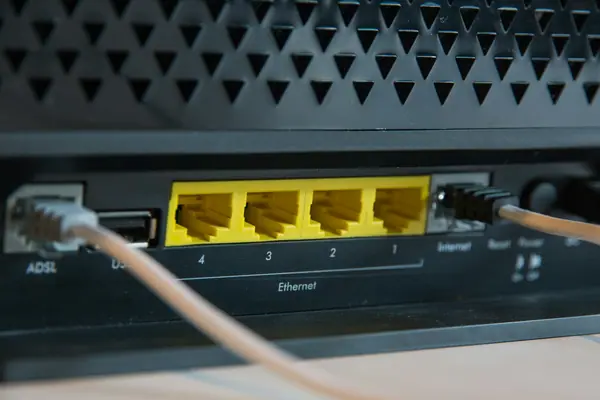
| Four gigabit LAN ports | Useful for a desk, television, console, and another wired device |
| USB 3.0 | Check supported storage functions for the exact revision |
| Router and access-point modes | Different deployment roles depending on the existing network |
These details come from TP-Link’s US specification page. The version 4 datasheet is a useful additional reference when identifying a listing. Match the actual hardware to its documentation instead of assuming one overview covers every revision perfectly.
The hardware-version issue deserves attention
TP-Link’s US download portal distinguishes V1, V1.60, V4, and V4.60 entries. The V4.60 page includes a firmware release published in July 2026 when checked for this article. That is evidence of a particular release for a particular revision; it is not a guaranteed future support period for every AX55. Version-specific downloads.
The company’s June 2026 US end-of-life list includes AX55 US revisions 1.6 and 2.6. TP-Link’s explanation of end of life describes production ending for a model or version. That should not be casually rewritten as a verified date when all security support stopped.
The practical advice is to check both lifecycle information and current firmware for the exact unit. Ask a seller for the printed region and version if the listing omits them. If that information is unavailable, choose a product with clearer support information. A router is a long-lived network component, so uncertainty here matters more than a small checkout discount.
Design and build-quality considerations
The AX55 uses a conventional router form with external antennas and rear connections. Plan a real place for it before purchase: accessible to Ethernet cables, clear of clutter, and with airflow around the enclosure. Buying it and then hiding it behind a television or inside a metal cabinet works against a good wireless layout.
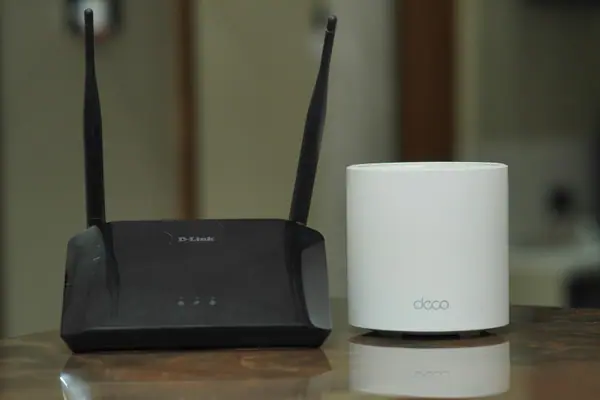
We cannot establish construction durability or thermal behavior from specifications. On arrival, inspect the power supply, ports, enclosure, and accessories. Follow the manufacturer’s orientation and ventilation guidance. External antennas are not proof that the device will outperform a compact mesh node in every room.
For a compact apartment, one appropriately located router may be sufficient. For a long house, multiple floors, or substantial interior walls, network design becomes more important than the shape of the router. Improving home Wi-Fi explains how to identify whether placement is the real problem.
Features and setup
TP-Link provides browser and Tether-app management options in the product documentation. Setup still depends on your internet service. Before replacing anything, record the provider’s connection requirements and whether its gateway also handles telephone or television services. Some households can use a standalone router directly behind a modem; others need a provider-supported bridge or access-point arrangement.
Avoid assuming that every mesh phrase on a product page means compatibility with every mesh system. TP-Link’s release notes are the right place to verify features for your revision, including whether a specific backhaul configuration is supported. Do not buy a second device based only on both boxes containing the word “mesh.”
HomeShield also needs careful reading. The product documentation distinguishes basic capabilities from paid offerings. Check current plan terms for any parental-control or security function you specifically require. Neither the presence nor absence of a subscription removes the need for current firmware and sensible account settings.
Performance analysis: what the specifications establish
The Ethernet ports give the clearest practical boundary. A gigabit WAN connection cannot deliver a multi-gigabit internet feed through that port. If your goal is to use a faster broadband plan from a single wired computer, the AX55 is the wrong starting point regardless of its wireless class name.
Wireless performance is more variable. Device radio capability, channel width, interference, distance, and building materials affect the result. An AX3000 label combines published radio rates; it should not be read as an attainable internet download rate for one phone. Networking overhead and the rest of the connection also matter.
For gaming, do not assume a new router eliminates all latency. An Ethernet connection to a stationary console or computer is worth trying first. Delays can arise beyond the home network, including the internet path and game service. A router replacement should target a known local problem, not promise to fix every source of lag.
For a home office, reliability at the desk matters more than a maximum speed beside the router. Check whether video calls fail only in that room, whether another device has the same problem, and whether a wired connection changes the outcome. Those observations tell you more about a useful upgrade than a single speed-test screenshot.
Compatibility and ease of use
An AX55 is a router, not a universal replacement for the modem or optical-network terminal required by your provider. Confirm the incoming connection and any service-specific settings before removing existing equipment. Keep the old configuration information until the new setup is working.
Older smart-home devices may also need compatibility attention during setup. Start with documented recommended settings, then make targeted changes for a specific device. Do not weaken the whole network or switch off useful features simply because an unrelated online comment suggests it.
Firmware installation must match region and hardware revision. Read release notes before applying an update, preserve required configuration details, and follow the vendor’s power and connection precautions. A firmware file carrying the same model name can still be the wrong file for your unit.
Pros and cons
Advantages for the right household: multiple wired connections, an ordinary single-router layout, and a Wi-Fi 6 feature set that may already match the household’s clients. These can be enough for everyday work, streaming, and smart-home use without paying for unused capabilities.
Limitations: gigabit wired ports, no 6 GHz, uncertain suitability for difficult floor plans, and the need to investigate revision-specific support. Published specifications do not establish real-world coverage or reliability, and an older discounted revision may be less attractive than the listing initially suggests.
Price, alternatives, and who should skip it
Compare current total prices rather than assuming a historical budget position still holds. If an AX55 costs nearly as much as a supported newer router with the ports you need, the newer option may be easier to justify. If it is substantially less expensive and a verified revision fits your needs, the value case is stronger.
For distributed coverage, compare a properly planned mesh system. For faster wired networking and compatible newer clients, investigate a multi-gigabit Wi-Fi 7 model. Our router buying guide offers examples, while Wi-Fi 6 versus Wi-Fi 7 explains why the generation label alone is insufficient.
Skip the AX55 when the seller cannot identify the hardware, when you need 6 GHz or faster wired ports, or when you already know one access point cannot serve the home. Existing owners should inspect their own version and firmware information before deciding whether replacement is necessary.
Final summary
The AX55’s appeal is a conventional, understandable configuration for a network that does not need more than gigabit wired connections. Its purchasing complication is the hardware revision. Verify that first, assess your coverage problem second, and compare the current total price third. That sequence produces a better decision than treating every AX55 listing as the same product.
Reader questions
Is the Archer AX55 a modem?
No. It is a router. Retain the modem, optical-network terminal, or compatible provider equipment required by your internet service.
Can the AX55 fully use a multi-gigabit internet plan?
Its published gigabit WAN port limits that wired internet path. Choose appropriate multi-gigabit equipment if your goal is to use a faster plan through one connection.
Does every AX55 have the same firmware and mesh features?
Do not assume so. TP-Link supplies version-specific firmware and release notes. Verify the region and hardware revision printed on the unit.
Explore the options discussed
Check the exact model, compatibility and current availability with the manufacturer before purchasing.
TP-Link Archer AX55
A conventional home network after checking the hardware revision
View Product DetailsSources & further reading
Product information checked September 18, 2026. Specifications and availability can change.